
Table of Contents
- Why Catalyst Changes DISC Workplace Facilitation
- DISC Workshop Agenda: A Step-by-Step Facilitation Plan
- DISC Workplace Facilitation Activities That Drive Engagement
- DISC Facilitation Questions That Spark Self-Awareness
- Using Catalyst for Team Development Beyond the Workshop
- Pre-Session Setup and Participant Onboarding
- Psychological Safety and Responsible Profile Interpretation
- Measuring Outcomes and Sustaining DISC Facilitation Results
- Conclusion: Your Next Step in DISC Facilitation
- Frequently Asked Questions
Last Updated: October 7, 2026
Why Catalyst Changes DISC Workplace Facilitation
Facilitators have long struggled to keep DISC training alive after the room empties. The profile gets read, everyone nods, and six weeks later the insights sit forgotten in a binder. Using Catalyst for DISC workplace facilitation fixes that problem by moving the learning into a living, digital space participants can return to anytime.
Catalyst is the online platform that delivers Everything DiSC® assessments and personalized follow-up content in short, modular bursts. At Your Lifes Path, we see facilitators use it to replace one-and-done workshops with ongoing learning. The platform keeps each participant’s behavioral style, tips, and comparisons a click away.
That shift matters because retention, not the assessment itself, is where most programs lose momentum. Below, we’ll show you exactly how to plan, run, and sustain a DISC session with Catalyst at the center.
What Catalyst Is and How It Supports DiSC Learning
Catalyst is a digital learning platform that hosts each participant’s Everything DiSC® profile and delivers personalized, bite-sized content based on their behavioral style. It supports DiSC learning by giving learners a private space to revisit their results and apply them to real workplace interactions.
Here is how it supports facilitation:
- Personalized profiles for every participant, built from their own responses
- Modular design with short-format lessons that fit busy schedules
- Customized experience that adapts tips to each person’s style
- Actionable data facilitators can reference during and after the session
- Team comparisons that show how styles interact
The modular design is the real advantage. Instead of one long report, learners get small, focused pieces they can absorb between meetings. That is what keeps the learning experience fresh.
DISC Workshop Agenda: A Step-by-Step Facilitation Plan
A strong DISC workshop agenda moves from self-discovery to team application in about three hours. The plan below balances short-format Catalyst learning with discussion, so participants stay engaged from start to finish. Each block includes what you say, what participants do, and how you debrief, the three pieces that separate a session people remember from one they forget.
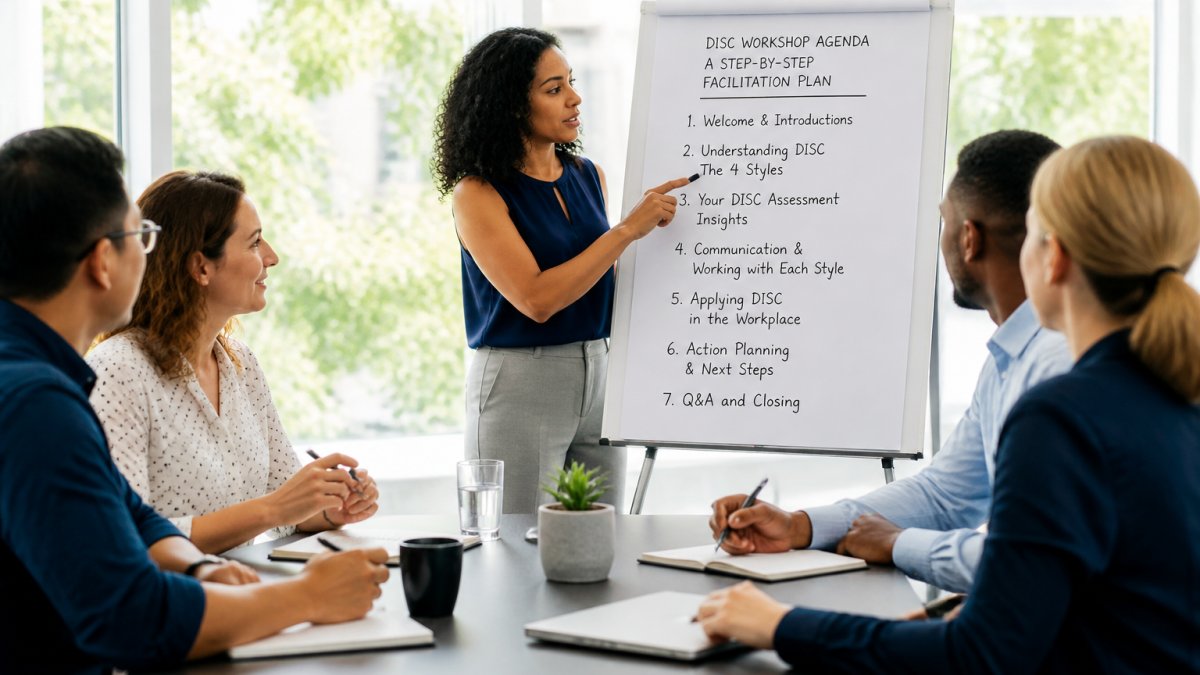
1. Welcome and framing (15 min). Open with a warm, plain-language purpose statement: “Today is about understanding how you prefer to work and communicate, so we can collaborate with less friction.” Set three ground rules out loud, styles are preferences not labels, no style is better than another, and what is shared stays in the room. Ask each person to name one thing they hope to get from the session and capture the answers on a flip chart. You will return to these at the close.
2. Profile walkthrough (30 min). Have participants open their Catalyst profile and read the “You and Your Style” section silently for five minutes. Then walk the room through the four quadrants on a shared screen, pausing at each to ask, “Who recognizes this in themselves?” Invite two or three volunteers to read one line from their profile that surprised them. This is where the D, I, S, and C styles stop being abstract and start feeling personal.
3. Style deep-dive (40 min). Break into small groups by primary style. Give each group a prompt card: “What do you wish other styles understood about how you work best?” Ask each group to prepare a two-minute summary. When groups report back, listen for the language each style uses, D groups tend to talk about speed and outcomes, I groups about energy and people, S groups about consistency and support, C groups about accuracy and process. Name those patterns aloud so the whole room hears them.
4. Communication practice (45 min). This is the highest-value block, so protect the time. Hand each pair a real workplace scenario drawn from your own team, a project handoff, a deadline change, a feedback conversation. Ask each person to respond to the scenario in their own style first, then again in their partner’s style. Debrief with two questions: “What changed in how you said it?” and “What stayed the same?” Most participants find the second attempt feels slower and more deliberate, which is exactly the point.
5. Team mapping (30 min). Build a shared view of the team on a large sheet or whiteboard, placing each person by style. Ask the group: “Where are we heavy? Where are we light? What does that mean for how we plan work?” A team with many C styles may want more review time; a team with many D styles may want faster decisions. Let the group draw its own conclusions before you offer yours.
6. Action planning (20 min). Close the loop. Ask each participant to write one specific behavior they will try in the next two weeks, not a personality change, a behavior. “I will ask one clarifying question before responding to a terse email” is a good example. Have partners exchange commitments so they can check in with each other. Return to the flip chart from the opening and confirm which hopes were addressed.
|
Agenda Step |
Time |
Facilitator Focus |
|---|---|---|
|
Welcome and framing |
15 min |
Set purpose and ground rules |
|
Profile walkthrough |
30 min |
Connect styles to real reactions |
|
Style deep-dive |
40 min |
Let each style speak for itself |
|
Communication practice |
45 min |
Practice adapting, then debrief |
|
Team mapping |
30 min |
Surface team-level patterns |
|
Action planning |
20 min |
Commit to one behavior |
If you are running a shorter session, cut the style deep-dive to 20 minutes and the communication practice to 30, but keep the welcome and action planning intact. The framing and the commitment are what make the middle stick.
DISC Workplace Facilitation Activities That Drive Engagement
The best DISC workplace facilitation activities get people moving, talking, and reflecting. Passive lectures lose the room fast. Movement and interaction keep energy high.
Try these activities:
- Style sort: Participants place themselves in one of four corners.
- Preference pairs: Two styles discuss a shared workplace challenge.
- Communication swap: Rewrite a blunt email in a different style.
- Delegation role-play: A manager practices adapting to a team member.
- Team map build: The group places everyone on a shared chart.
A common mistake is skipping the debrief. After each activity, ask what participants noticed about their own behavior. That reflection is where self-awareness grows.
DISC Facilitation Questions That Spark Self-Awareness
Great DISC facilitation questions do more than test knowledge. They push participants to examine how their behavioral preferences shape daily workplace interactions.
Use open questions like these:
- When do you feel most energized at work, and why?
- How do you react when a deadline moves up suddenly?
- What frustrates you about how others communicate?
- Where does your style help your team, and where does it slow things down?
- What is one habit you could adjust to work better with a teammate?
Notice that none of these have a right answer. The goal is reflection, not scoring. When a participant connects a DISC insight to a real moment, the learning sticks.
Using Catalyst for Team Development Beyond the Workshop
Using Catalyst for team development extends the value far past a single session. The platform gives teams a shared language they can return to whenever friction appears.
Here is how to keep it going:
- Assign a short Catalyst module each month.
- Revisit team comparisons during quarterly reviews.
- Use style insights to plan delegation and project roles.
- Encourage managers to reference preferences in one-on-ones.
The difference between a program that fades and one that lasts comes down to repetition. Small, regular touchpoints beat one big event every time.
Take The Official DiSC® Assessment Online Now! →
Pre-Session Setup and Participant Onboarding
Smooth onboarding removes the technical friction that can derail a workshop before it starts. Most facilitators find that the sessions that go well are the ones where the setup was handled a week in advance, not the morning of. Here is how to operationalize Catalyst so the day itself runs cleanly.
Two weeks out: confirm your roster and assessment links. Work from a single source of truth, a spreadsheet with each participant’s name, email, and assessment status. Confirm every participant has an assessment link before you send anything. If you are managing a group, your EPIC sub-account lets you assign and track assessments from one dashboard, which is far easier than chasing individual links.
Ten days out: send the welcome email. Keep it short and warm. Include three things: what the assessment is (a short questionnaire about work preferences, not a test), how long it takes (most people finish in 15 to 20 minutes), and when it needs to be done (at least 48 hours before the session). Tell them the results are theirs to keep and that nothing is shared without their permission. That last line reduces anxiety more than anything else in the email.
One week out: check completion status. Log into your dashboard and see who has finished. For anyone who has not started, send a friendly nudge with the link repeated. For anyone who started but did not finish, a short note, “It looks like you may have gotten interrupted; here is your link again”, usually does the trick. Avoid singling people out in a group thread.
Three days out: test the technology. If you are facilitating virtually, join the meeting room early and confirm screen sharing, breakout rooms, and audio all work. If you are facilitating in person, confirm the room has a projector or large screen and that you can display a profile without exposing anyone’s personal details. Have a printed backup of the agenda and any handouts in case the technology has a bad day.
The day before: send a short reminder. One or two sentences is enough: “Looking forward to tomorrow. Bring your Catalyst login and a real workplace situation you would like to work through.” That second ask primes participants to engage with the practice block.
Common onboarding questions and how to answer them:
- “I did not get the email.” Ask them to check spam and promotions folders first, then resend the link from your dashboard. If it still does not arrive, confirm the email address on file is correct.
- “I cannot log in.” Most login issues come down to a mistyped email or a password reset that went to spam. Walk them through a reset once, and they are usually fine.
- “I started but did not finish.” Catalyst saves progress, so they can pick up where they left off. Send the original link rather than a new one.
- “I am not sure my results are accurate.” Reassure them that the assessment reflects preferences, not abilities, and that most people recognize themselves in their results once they read the full profile.
- “Can I see everyone else’s results?” No, profiles are private by default. Team comparisons show patterns, not individual scores, unless someone chooses to share.
Accessibility matters here too. Offer captions for virtual sessions, large-print handouts for in-person training, and a quiet space for anyone who needs to step out during a sensitive discussion. When participants feel set up for success before they walk in, they arrive ready to learn rather than distracted by logistics.
Your Life’s Path offers free EPIC sub-account setup, which makes administering a group simple. That means less manual work for a stretched HR team and more time spent on the actual learning.
Psychological Safety and Responsible Profile Interpretation
Psychological safety is the foundation of any DISC session that actually changes behavior. Participants need to know their results will not be used against them.
Set ground rules at the start:
- Profiles describe preferences, not abilities.
- No style is better or worse than another.
- What is shared in the room stays in the room.
- People can choose how much to disclose.
As a facilitator, your job is to interpret results responsibly. When you walk through a profile, frame every trait as a tendency, not a verdict. A participant who scores high in Dominance is not aggressive; they simply prefer directness and results.
This care protects trust. Once trust is broken, no activity will bring the group back.
Measuring Outcomes and Sustaining DISC Facilitation Results
Measuring outcomes proves your DISC program is working and guides what to improve next. Start with simple signals before you reach for complex metrics.
Track these indicators:
- Engagement: Did participants complete their Catalyst modules?
- Application: Are managers using style tips in one-on-ones?
- Communication: Do team members report fewer misunderstandings?
- Follow-through: Are action plans being revisited?
A short pulse survey three months after the workshop tells you whether the learning transferred to daily work. Pair that with manager observations. The combination gives you a fuller picture than any single number.
Conclusion: Your Next Step in DISC Facilitation
The challenge with any DISC program is keeping the insight alive well past the workshop day. Behavioral styles, communication preferences, and team dynamics all fade from memory without a system to reinforce them.
Your Lifes Path solves that with official Everything DiSC® assessments, certified partner support, and the Catalyst platform for flexible facilitation. Our free EPIC sub-account setup and modular learning resources make it easy to run sessions and sustain the results.
Get started with Your Lifes Path and build a DISC facilitation program your team will actually remember.
Frequently Asked Questions
What is Everything DiSC Catalyst?
Catalyst is a digital learning platform from Everything DiSC that delivers personalized behavioral profiles and interactive tools for workplace facilitation. It lets participants access their DiSC style insights anytime, on any device, and gives facilitators a flexible way to run workshops. With Your Life’s Path, you get Catalyst access plus certified partner support, so you can facilitate DISC sessions that stick long after the workshop ends.
How long should a DISC workplace facilitation session last?
A typical DISC workplace facilitation session runs 3 to 4 hours, which gives enough time for profile interpretation, activities, and discussion. You can also split it into two 90-minute blocks for remote teams. The key is to balance content with interaction; aim for at least 50% of the time on activities and DISC facilitation questions. Catalyst’s modular design lets you adjust the length to fit your team’s schedule.
How can Catalyst support a DISC workplace facilitation session?
Catalyst supports your session before, during, and after. Before, you assign profiles and send pre-work through the platform. During, participants pull up their personalized profile on their phones for real-time reference. After, Catalyst provides follow-up tips and comparison tools so team members can keep using their DISC insights. This continuity is what makes DISC facilitation effective rather than a one-time event.
How can teams use Catalyst after a DISC workshop?
After the workshop, teams can use Catalyst to compare styles, review communication tips, and prepare for difficult conversations. Managers can assign follow-up activities or use the platform’s group features to track team dynamics. Schedule a 30-day check-in to discuss what’s working. This ongoing use turns DISC facilitation into a daily practice, improving collaboration and reducing interpersonal friction over time.